From garden design to construction is a step that is often forgotten. However, it is an important step. You want to see the beautiful picture of the design as the end result. But how do you take this important step from garden design to construction?
A garden design can be created in several ways. If you also want to be able to plot the design directly then 3D TUIN Designer is a good design program because the files can be read in with the surveying app Apglos Survey Wizard. When Apglos Survey Wizard is paired with a GPS measuring device then you can plot the entire garden design to the centimeter so that the garden is laid out, as designed.
To make everything clear on this topic, we will answer the following questions in this article:
-How do you create a garden design so that it can also be easily landscaped?
-What preliminary steps should you do before starting the garden design?
-What should you do when the garden design is ready so you can easily plot the design?
-How can you plot the garden design on site for the purpose of construction?
From garden design to construction: the solution
You may not have the opportunity to read this entire article. Therefore, there is another opportunity to learn more about from garden design to construction.
You can try a GPS measurement system through this website. To do so, look directly at this page.
You can also request a demonstration of one of our GPS surveying systems. At this demonstration you can also ask specific questions about garden design to construction and, of course, other topics related to GPS surveying.
If you don't have time for a demonstration or want to try the software of our GPS measurement systems quickly in between, that is possible. Apglos Survey Wizard is the easiest software to perform GPS measurements with. You can download it for free from the Google Play Store.
The surveying app Apglos Survey Wizard has full functionality with your Android device's GPS. So you can fully test this app and it is free.
Of course, the accuracy of our GPS receivers is better than that of standard Android devices. So if you would like to do a test with an accurate system, check out this page.
How do you create a garden design so that it can also be easily landscaped?
There are several ways to create a garden design. In the past, this was often done by hand. Garden designs by hand are difficult to construct. The garden design has to be translated into reality. And since a manual sketch has no coordinates, it is difficult to place the manually created garden design in the actual garden.
There are now some very nice software packages in which you can create a garden design. In the garden design you can then place 3D objects, so that you can even virtually walk through the garden. This gives you a good idea of the future garden.
One such software package for creating such 3D garden designs is 3D TUIN Designer. If you want to test the software you can do so at this page.
The beauty of 3D TUIN Designer in addition to being able to create beautiful 3D garden designs is that you can also plot the final garden design with one of our GPS measurement systems.
And that's the real step from garden design to construction.
What preliminary steps should you do before starting the garden design?
To know what preliminary steps are required so that you can plot the garden design from 3D TUIN Designer you need to know a few things.
First, you can see that 3D TUIN Designer works with coordinates. However, these are not RDNAPTRANS coordinates. To go from garden design to construction, 3D TUIN Designer's coordinates need to be converted to RD coordinates.
Therefore, you need to do some preliminary steps before starting the garden design. Using one of our GPS measuring systems, you measure a line between a pair of fixed points, such as the corner points of a facade.
The video below explains exactly how to use Apglos Survey Wizard to measure a line.
You can calculate the RD coordinates of the two points of the line with Apglos Survey Wizard. You will need these again when you start plotting the garden design.
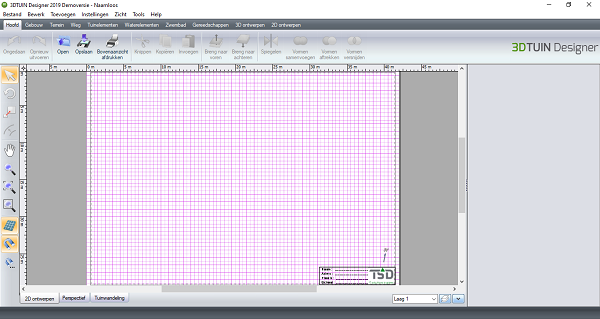
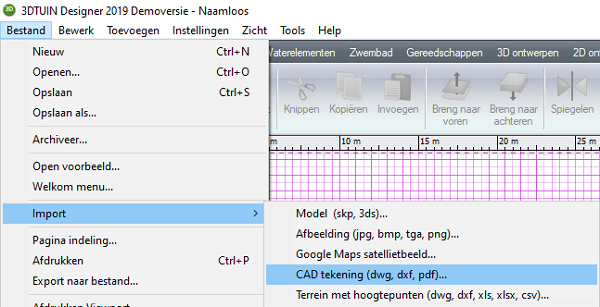
After the line has been measured, you can save the file as DXF. You can import this DXF file into 3D TUIN Designer via File -> Import -> CAD drawing (dwg, dxf, pdf)...
A new screen will be started.
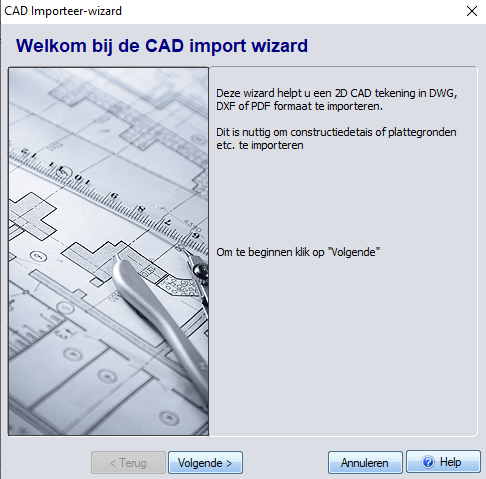
Here you click on Next.
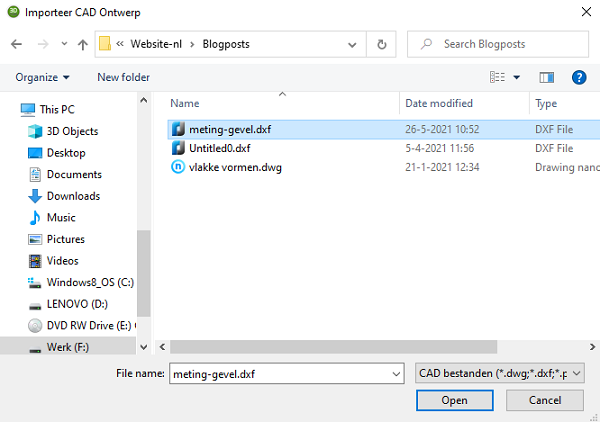
In this screen you need to locate and select the DXF file that you measured with Apglos Survey Wizard. Once the file is selected then click on Open. A preview of the DXF file is displayed.
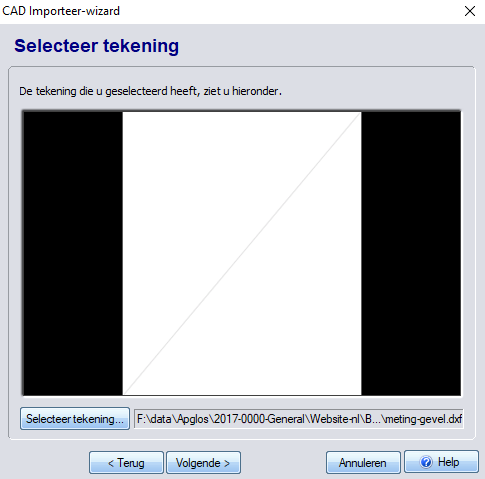
In this screen, click the Next. In a new screen, 3D TUIN Designer asks which layers to import.
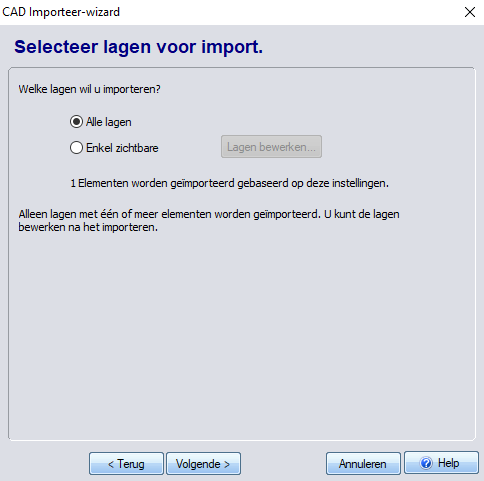
You choose All layers and click on Next. Then a screen comes up to set the units.
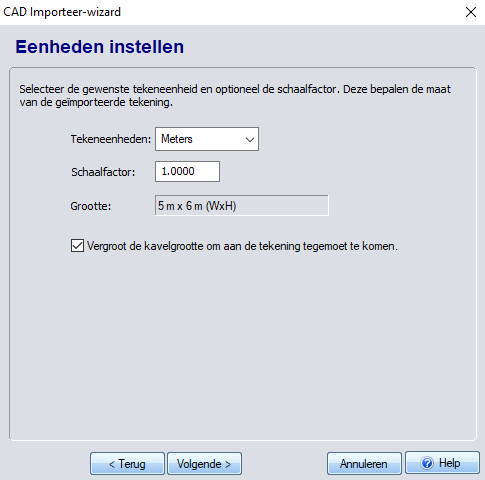
Here you choose behind Drawing units the unit Meters and fill in the Scale factor 1.0000 in. When this is done, click the Next. A new screen appears.
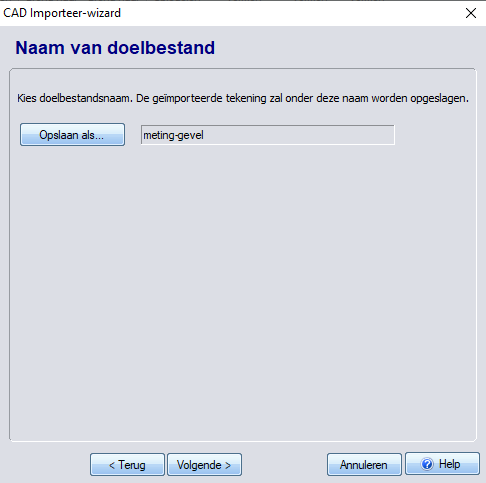
In this screen, click the Next and a new screen appears.
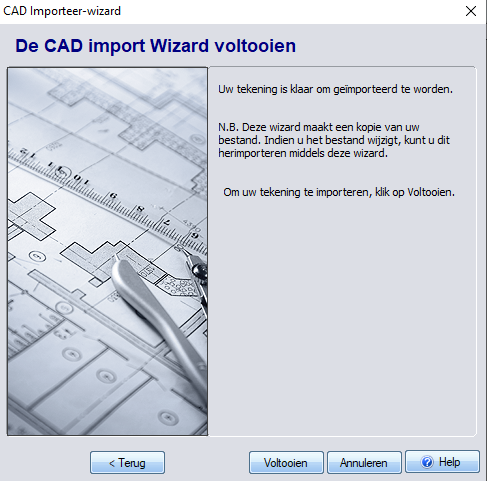
And in that screen, click on the button Complete. The DXF is now in 3D TUIN Designer.
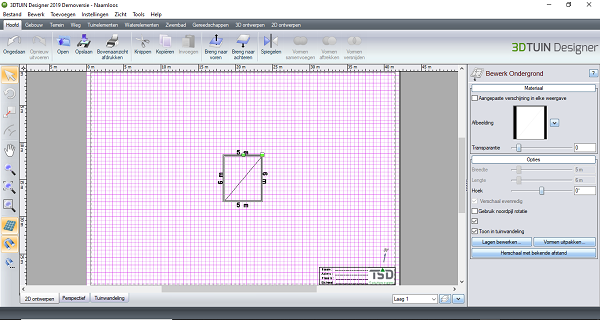
However, the line is usually not as rotated as you want to present it in the garden design. To rotate the DXF, select the DXF in 3D TUIN Designer. On the right side you will then see a pane titled Edit substrate.
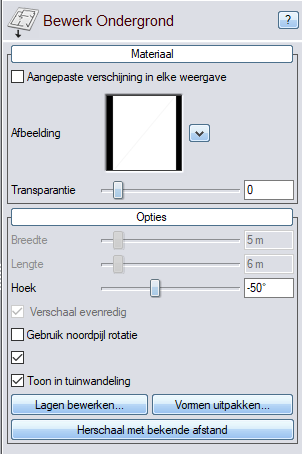
In this pane, in addition to Corner in the rotation you want for the presentation of your garden design. Next, select the north arrow.
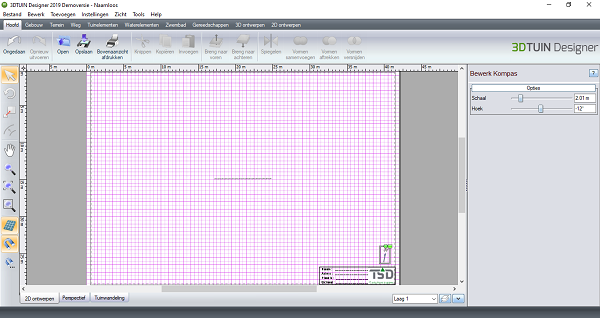
On the right, you will see a pane appear titled Edit Compass.
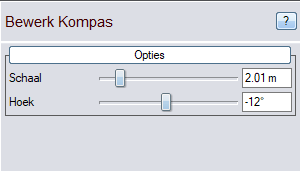
Here you enter in addition to Corner enter the same value as the rotation you specified for the DXF.
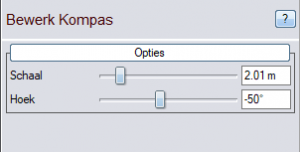
The garden design will now be properly rotated when you go from garden design to construction. But the coordinates still do not conform to RDNAPTRANS. And that is a requirement to get this step from garden design to construction right.
3D TUIN Designer does not work with RD coordinates. But there is a trick to it. Namely, you can move the origin of the coordinate system in 3D TUIN Designer.
You zoom in 3D TUIN Designer as far as possible to one of the measured points.
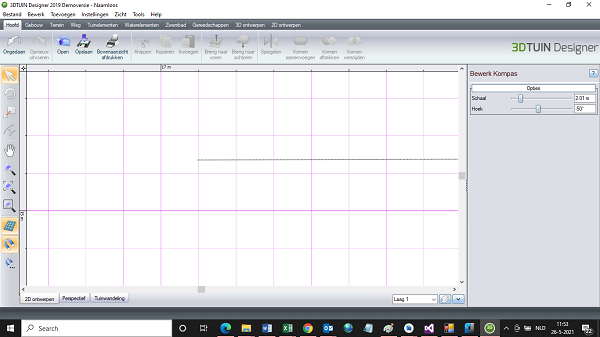
Then turn off the magnet.

Then go to Settings -> Coordinate system -> Move origin coordinate system....
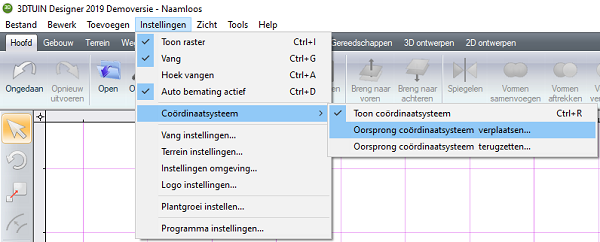
Finally, click as accurately as possible on one of the measured points of the DXF. You will see the coordinate system jump.
When you have completed all these steps then you can create the entire garden design. This includes all the 3D applications that are in 3D TUIN Designer.
Once the garden design is ready, what should you do so that you can easily plot the design?
If you are done with the garden design in 3D TUIN Designer then you can save the file as a 3DT file. The images below are for illustration purposes only. You should not pay attention to the quality of the garden design because to be honest that is not my specialty.
To save the garden design, go to File -> Save as...
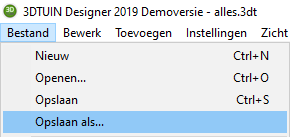
In the new screen, choose the folder where you want to save the file and specify the name you want to save the garden design with.
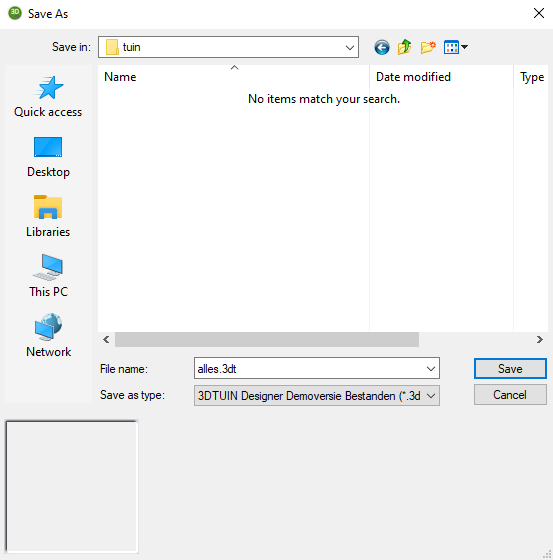
Then click on the button Save. The garden design is then saved. And you can send the 3DT betand to the tablet of one of our GPS measurement systems to open the file.
How can you plot the garden design on site for the purpose of construction?
If the 3DT file is on the tablet of one of our GPS measurement systems then all you need to do is the following.
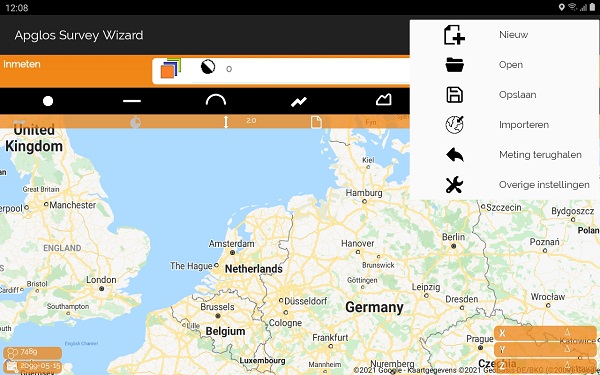
You are going to File menu -> Open. At the warning whether to save the current information, click NO.
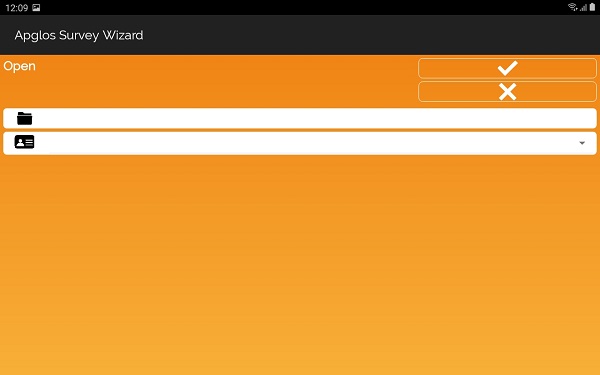
You click next to the directory-icon.
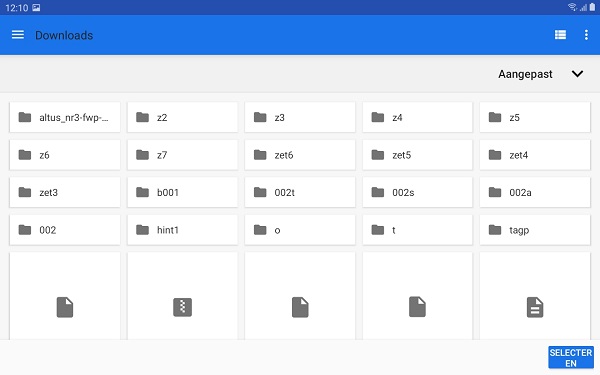
You go to the folder that contains the file of 3D TUIN Designer. And then click on the button Select.
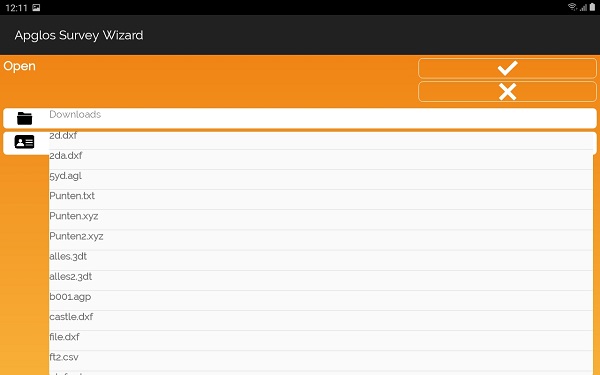
In addition to the ID-icon, you select the 3DT file to open. And then click on the OK-button. Apglos Survey Wizard then displays a new screen.
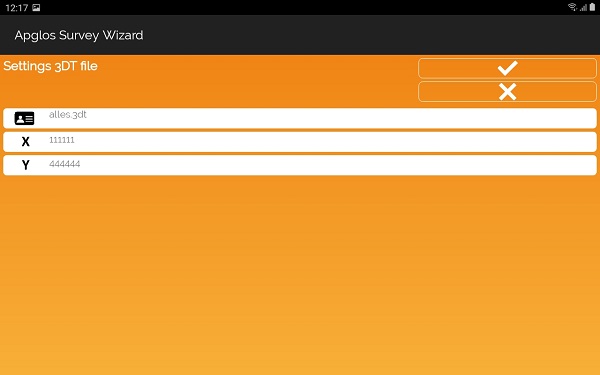
In this screen, you must enter the X and Y in RD coordinates. These are the X and Y values of the point you used as the origin in 3D TUIN Designer, after you click on Settings -> Coordinate system -> Move origin coordinate system.... has clicked. You enter the X and Y coordinate of this point that you determined earlier with Apglos Survey Wizard. And then you click on the OK button. The garden design will then be loaded.
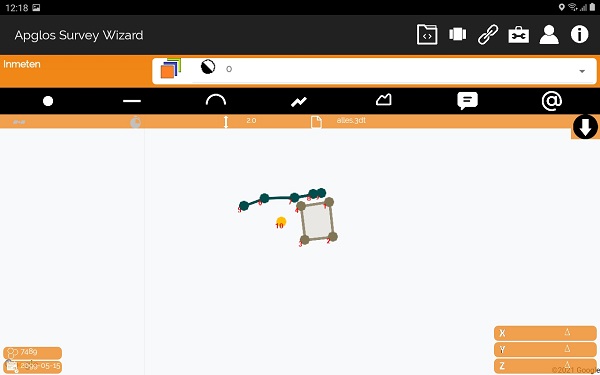
After the garden design is loaded, you can do several things with it. But the most important will be laying out the garden design. And that, of course, is the most important step from garden design to construction.
Final conclusion on from garden design to construction
This was a whole article on from garden design to construction. There is a lot to report on this topic of GPS surveying. So we hope you picked up at least a few things from it and can take advantage of them.
However, everything written in this article is theory. If you want to put this theory into practice you can.
Indeed, you can use this website to purchase a GPS measurement system try or buy. When you do then you can put into practice what you have learned by reading this article about from garden design to construction right away. And you can see if working with our GPS measuring equipment is for you.
Of course, when you try or buy one of our GPS measurement systems, you will receive a short and clear explanation so that you can get started with it right away.
If you would like a demonstration first you can book one here. With a demonstration or brief explanation you can also ask specific questions about from garden design to construction.
 Want to schedule a demo? You can do that through whats!